When was the last time you checked what Google is actually doing with your emails?
Not your spam folder. Not your promotions tab. Your actual emails. The contracts, the medical records, the bank notifications. All of it.
Gmail has a set of “smart features” settings that allow it to scan your messages and attachments. Most people have never touched them.
What’s Happening
Gmail scans your email content. It always has. That’s how spam filtering, email categorisation, and writing suggestions work. Nothing new there.
What caused the confusion was Google quietly updating the wording around these settings in late 2025. The new language was vague, buried, and appeared for users without much explanation. Around the same time, a class action lawsuit surfaced in California alleging Google gave its Gemini AI access to Gmail, Chat, and Meet without proper user consent.
People saw the new settings, saw the lawsuit headlines, and assumed the worst. Even Malwarebytes initially reported it as Google training its generative AI on your emails — and had to issue a correction.
Here’s the clearer version. Gmail scanning your emails to power its own built-in features is not the same as Google using your data to train Gemini. Google says these smart features are opt-in by default. But some users reported finding them already enabled with no clear explanation of when or why.
Either way, it’s worth checking.
Why It Still Matters
Even if Google isn’t feeding your emails into a generative AI model, the fact that this confusion happened at all says something.
When a platform updates privacy settings using vague language and surfaces them to users without explanation, that’s a problem. Email isn’t casual. It carries contracts, medical information, financial records, and legal conversations — data most people would never consciously hand over to any AI system.
The line between “feature powered by your data” and “your data used to improve our product” is intentionally blurry.
What You Lose by Turning It Off
Before you disable everything, know what you’re giving up.
Smart Reply disappears. The quick one-tap responses like “Sounds good” or “Thanks, I’ll take a look” are gone. If you use them often, you’ll notice.
Email categorisation changes. The automatic sorting into Primary, Social, and Promotions tabs relies on Gmail reading your messages. Turn it off and everything lands in one inbox.
Writing suggestions stop. Inline composition suggestions won’t appear anymore.
Workspace personalisation gets affected. Gmail won’t pull context from your emails to suggest meeting times, surface relevant Drive files, or personalise your experience across Google products.
So, is it worth it? If your inbox is mostly newsletters and casual messages, the smart features are probably fine. But if you’re regularly sending medical documents, legal agreements, financial records, or anything sensitive — the trade-off doesn’t make sense. Those features aren’t worth Google’s systems processing that content in the background.
Your call. But at least make it with full information.
How to Turn It Off
There are two places you need to update. Miss one and it’s not fully off.
Step 1 — Open Gmail Settings
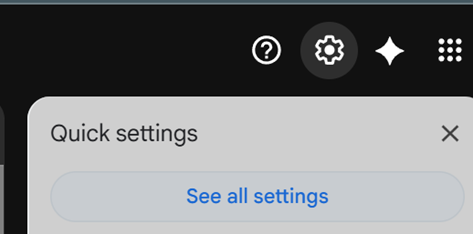
Click the gear icon in the top right of your Gmail inbox and select See all settings.
Step 2 — Turn Off Smart Features in Gmail, Chat, and Meet
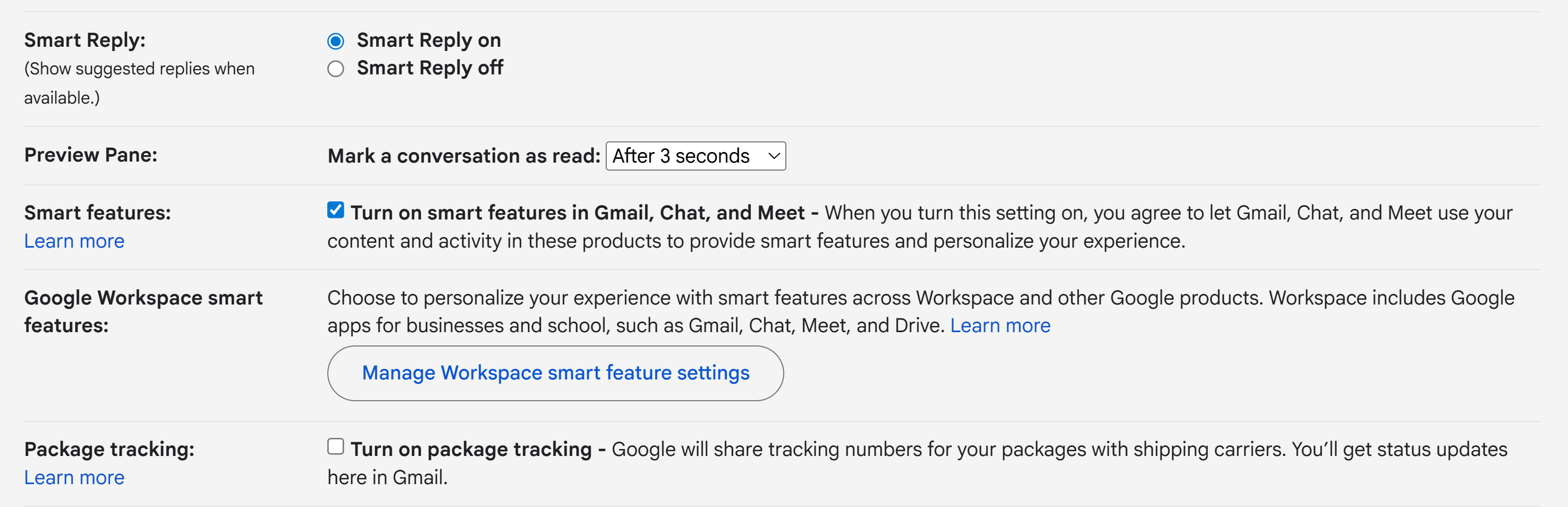
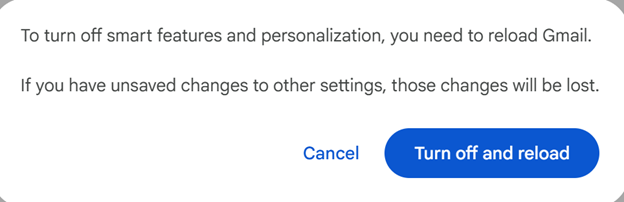
Scroll down to “Smart features and personalization.” Uncheck the box and hit Save Changes.
Step 3 — Turn Off Google Workspace Smart Features
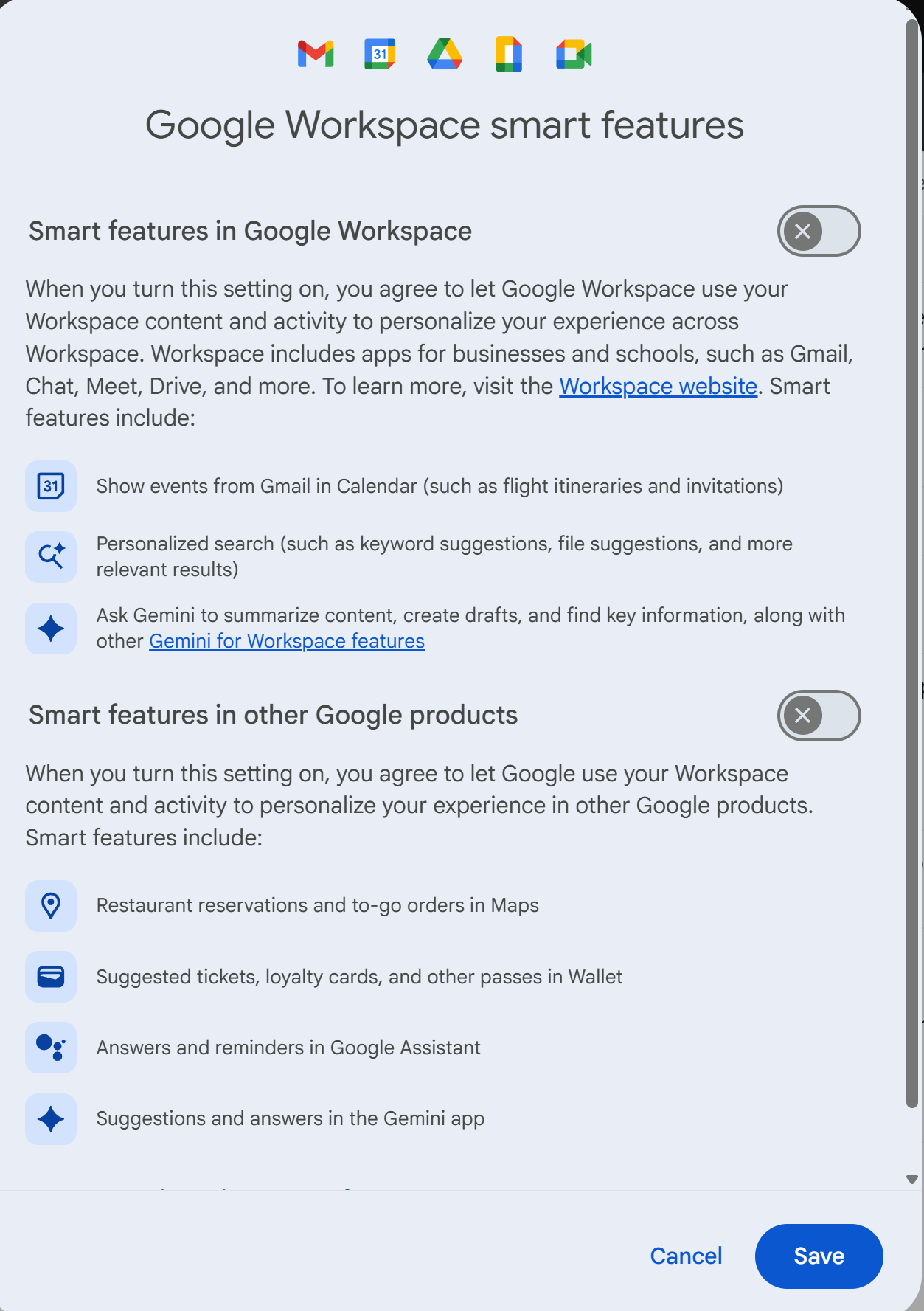
Still in settings, find “Smart features and personalization in other Google products” and click Manage settings. Toggle both options off and save.
Step 4 — Confirm the Changes
Sign out and back in. Check both settings again to make sure everything stayed off.
The Takeaway
Privacy settings are not a one-time thing. Platforms update terms, move settings around, and change defaults. Most users never find out.
If you use Gmail for anything sensitive, spend five minutes reviewing what you’ve agreed to. Not because Google is doing something malicious — but because you should know what’s running in the background.
That applies to Gmail and every other tool in your stack.
Have questions or want to learn more about protecting your digital privacy? Follow along for more practitioner-focused security content written for everyone — yazoon.cloud