
Why This Matters
You do not need to be a tech expert to protect yourself online. Most people get hacked not because of sophisticated attacks but because of simple mistakes that could have been avoided.
This guide is for everyone. No technical knowledge required.
1. Use Strong, Unique Passwords
If you use the same password for everything, one breach exposes all your accounts.
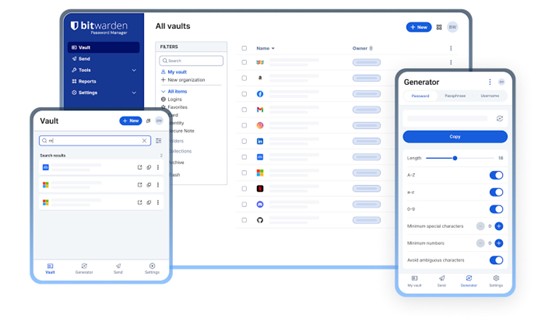
The fix is simple. Use a password manager like Bitwarden or 1Password. It creates strong passwords for every account and remembers them for you. You only need to remember one master password.
2. Turn On Two-Factor Authentication
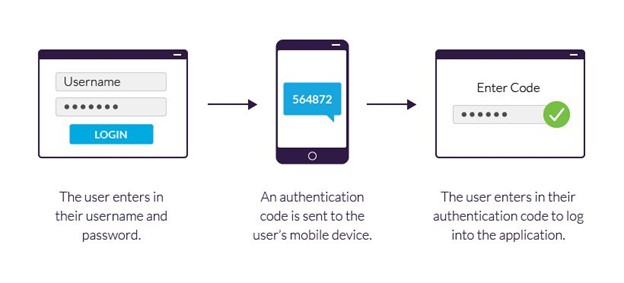
Two-factor authentication means even if someone steals your password, they still cannot get into your account. The app or website will ask for a second code sent to your phone.
Turn this on for everything. Especially your email, banking, and social media accounts.
3. Keep Your Software Updated
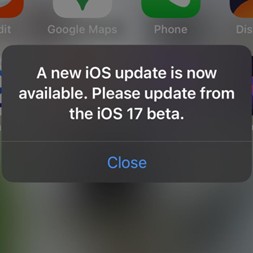
Most hacks happen through outdated software with known security holes. When your phone or laptop says there is an update available — do it immediately.
Think of updates like locking a door that was left open.
4. Do Not Click Suspicious Links
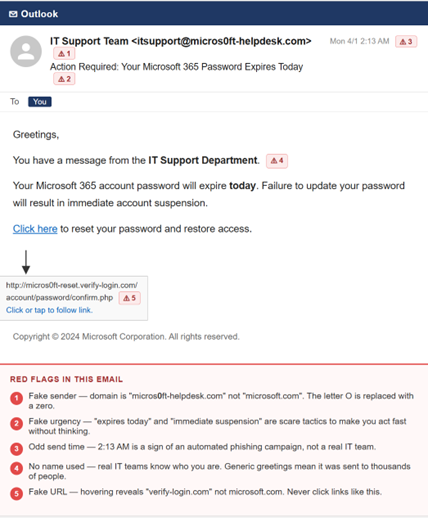
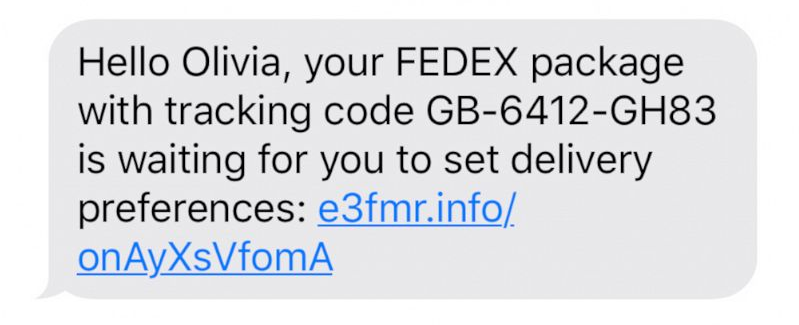
If you get an email or text with a link you were not expecting, do not click it. This is called phishing and it is one of the most common ways people get hacked.
Instead, go directly to the website yourself by typing the address into your browser.
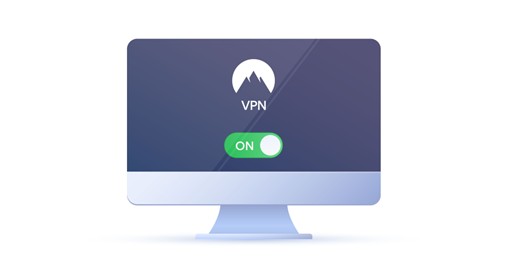
5. Use a VPN on Public WiFi
Coffee shops, airports, hotels — public WiFi is not secure. Anyone on the same network could potentially see what you are doing.
Never do banking, shopping, or anything sensitive on public WiFi without a VPN. A VPN encrypts your connection and keeps your activity private.
Good free options include ProtonVPN. Paid options include NordVPN or ExpressVPN.
6. Always Check Before You Share
Before entering your personal information anywhere online, check two things.
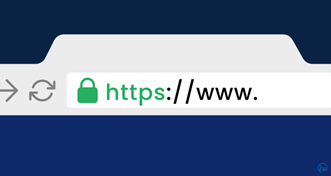
First, make sure the website address starts with https and has a padlock icon. Second, make sure the website address looks correct and is not a fake version — like paypa1.com instead of paypal.com.
If something looks off, close the tab immediately.
7. Back Up Your Data
Ransomware attacks lock you out of your own files and demand money to get them back. The best defence is a backup.
If you have a backup, you can restore everything and ignore the attackers entirely.
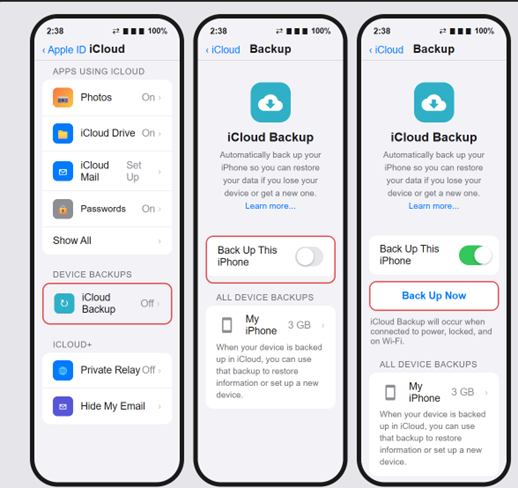
Back up your phone and laptop regularly. Use an external hard drive or a cloud service like Google Drive or iCloud.
8. Be Careful What You Post Publicly
Your birthday, phone number, hometown, and your mother’s maiden name are all common security question answers. Posting them publicly helps hackers bypass your account security.
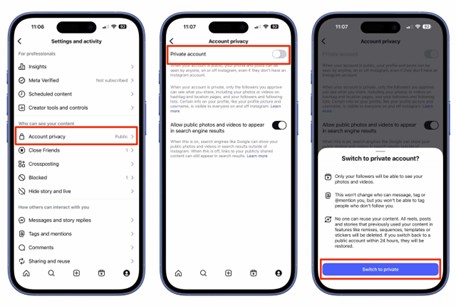
Review your social media privacy settings and limit who can see your personal information.
9. Switch to Privacy-Focused Apps
Small changes to the apps you use make a big difference over time.
For private messages, use Signal instead of regular SMS. For email, use ProtonMail instead of Gmail if privacy is a priority. These apps are built with privacy as the foundation — not an afterthought.

10. Trust Your Gut
If an email feels off, a phone call seems suspicious, or a website looks slightly wrong — trust that feeling and stop.
Hackers rely on urgency and fear to make you act fast without thinking. Common tricks include fake emails saying your account will be closed, fake calls from your bank, or fake prizes you have won.
When in doubt, slow down and verify directly — by calling the company yourself using the number on their official website.
The Bottom Line
Staying safe online does not require being a cybersecurity expert. It just requires a few good habits done consistently.
Start with passwords and two-factor authentication today. Those two alone eliminate the majority of risk for most people.
Share this with someone you know who could use it. The more people who know this, the safer everyone is.
Have questions or want to learn more about staying safe online? Follow along for more simple cybersecurity guides written for everyone — yazoon.cloud